15 Premium WordPress Themes for $59 - Just $3.93 Each. Save $376
You’re about to spend real money on a website. Maybe a few thousand dollars. Maybe more. And one wrong platform choice means you’ll rebuild the whole thing in 18 months.
Here’s the honest truth most comparison posts won’t tell you: WordPress vs Shopify vs Squarespace isn’t really a debate about features. It’s a debate about what kind of business you’re running, how much control you want, and how you plan to grow.
By the end of this post, you’ll know exactly which platform fits your business, what it actually costs to run, and where each one falls short. No affiliate-driven rankings. No fluff.
Before we go deep, here’s the short version. If you’re running a content-heavy business, a blog-based brand, or anything where SEO drives your revenue, WordPress is the answer. If you sell physical products and want a store that just works with zero technical headaches, Shopify wins. If you’re a photographer, designer, or consultant who needs a gorgeous site in a weekend, Squarespace is the fastest path.
Now let’s break down why.
WordPress powers over 43% of all websites on the internet, and that dominance isn’t an accident. When we talk about “WordPress” here, we mean self-hosted WordPress.org, not the limited WordPress.com version.
What makes WordPress different: you own everything. Your content, your design files, your customer data, your domain. You can move your site to a new host in an afternoon. Try doing that on Shopify or Squarespace.
WordPress also has the deepest plugin ecosystem on the internet. Want a booking system, membership site, LMS, or multilingual setup? There’s a plugin for that. And because the platform is open-source, serious SEO tools like Yoast and Rank Math give you control over every technical detail Google cares about.
Where it gets tricky: you’re responsible for hosting, security, and updates. Pick a bad host and your site crawls. Install sketchy plugins and you invite malware. WordPress rewards the people who treat it like a business asset and punishes the people who don’t.
A good premium WordPress theme solves 80% of the “where do I start” problem. You get a professional design, pre-built pages, and a proven structure without needing a developer.
Shopify is brilliantly built for one thing: selling products online. If your revenue comes from transactions, not ad clicks or affiliate commissions, it’s hard to beat.
You get hosting, SSL, PCI compliance, inventory management, multi-channel selling, and abandoned cart recovery out of the box. No plugin configuration. No server headaches. Just sign up and start selling.
But here’s the catch. Shopify locks you into their ecosystem. Your monthly fee starts at $29 but grows fast once you add apps. Most stores spend $50-$150 per month on apps alone. Transaction fees apply unless you use Shopify Payments. And if you ever want to leave, you can export your product CSVs but not your design, custom pages, or blog content structure.
Shopify’s SEO is decent, not great. You can’t fully control your URL structure (all product URLs include /products/). Blog functionality exists but feels bolted on. If content marketing is core to your growth strategy, you’ll hit walls.
Shopify is ideal if: you sell 10+ products, want zero technical maintenance, and see your website as a checkout more than a marketing engine.
Squarespace is the “it just works” platform. Every template looks good out of the box. The drag-and-drop editor is genuinely intuitive. You can launch a professional-looking site in a weekend without any training.
For photographers, consultants, therapists, personal brands, and small service businesses, Squarespace delivers real value. The built-in scheduling (Acuity), email marketing, and basic eCommerce cover most small-business needs without extra tools.
Where it breaks down: flexibility. You cannot install third-party plugins. You cannot edit the underlying code beyond CSS tweaks. Your blog runs on Squarespace’s engine, not WordPress’s, which means fewer SEO controls and zero choice of page structure.
Squarespace plans start around $16/month for a personal site and $23/month for business. That’s cheaper than Shopify at face value, but if your business grows, you’ll feel the walls close in.
Pro tip: Squarespace exports blog posts to a WordPress-compatible format. That’s useful to know if you start small and migrate later.
This is where most comparisons lie to you. Here’s the real picture.
| Cost Category | WordPress (self-hosted) | Shopify | Squarespace |
|---|---|---|---|
| Base monthly fee | $0 (software is free) | $29–$399 | $16–$65 |
| Hosting | $10–$50/month | Included | Included |
| Domain | $12–$20/year | $14/year | $20+/year (free first year) |
| Premium theme | $59–$199 (one-time) | $180–$380 (one-time) | Included |
| Essential plugins/apps | $0–$300/year | $50–$150/month | Limited extensions |
| Transaction fees | None (depends on gateway) | 0.5%–2% + payment fees | 0%–3% + payment fees |
| Realistic total (year 1) | $300–$1,200 | $600–$3,000 | $300–$1,000 |
WordPress looks cheapest on paper, and it often is, but only if you pick a good theme and stick to proven plugins. Bloat adds up fast.
This is where your business WordPress theme choice matters most.
WordPress has thousands of premium themes. The right one gives you a polished, professional design plus the ability to customize every element. With a modern builder like Elementor or the native block editor, you can rearrange pages without touching code.
Shopify has about 240 themes in its official store (free and paid). They’re conversion-focused but less varied. Customization requires learning Liquid, Shopify’s templating language.
Squarespace has roughly 140 templates. They’re beautiful but rigid. Your design freedom is capped at what the template allows.
If visual branding and a unique look matter to your business, WordPress gives you the most room to grow, especially when paired with a premium business theme built for flexibility.
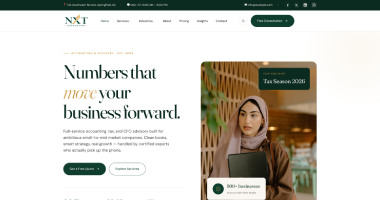
Looking for a theme that balances professional design with the customization your business needs? Browse our collection of business WordPress themes to see options built for growth.
Short answer: WordPress wins, and it’s not close.
Google’s John Mueller has publicly said the platform doesn’t matter, what matters is the final HTML. That’s technically true. But the HTML WordPress outputs (especially with a lean theme and Rank Math or Yoast) gives you far more control than Shopify or Squarespace ever will.
Here’s what WordPress lets you control that the others don’t:
/products/ or /pages/ prefixes)Squarespace now includes basic SEO features but still lacks deep customization. Shopify has improved but remains restrictive on URL structure and blog SEO.
If organic search is core to how you get customers, WordPress is the safer long-term bet.
Shopify is built to scale with your transactions. It handles Black Friday traffic, international selling, and multi-currency checkout without breaking. For a pure product business, this is huge.
WordPress scales with everything else. Traffic, content, membership counts, community features, booking systems, marketplaces. You might need to upgrade hosting and optimize performance, but there’s almost no business model it can’t handle.
Squarespace is the least scalable of the three. Once your business grows beyond simple service or portfolio needs, you’ll outgrow it.
1. Picking Shopify because “eCommerce is hard on WordPress.” WooCommerce powers over 25% of all online stores. A properly set up WooCommerce site runs as smoothly as Shopify and costs less long-term.
2. Picking Squarespace because the templates look pretty. Pretty templates don’t matter if you outgrow the platform in a year. Think about where your business will be in three years, not three weeks.
3. Picking WordPress and then ignoring it. WordPress rewards maintenance. Skip updates and your site will get hacked or slow. Budget for monthly upkeep or a managed WordPress host.
4. Assuming “free” WordPress themes are a smart choice. Free themes often have bloated code, limited support, and hidden upsells. A quality premium business theme pays for itself in time saved and design consistency.
5. Choosing based on “who has the best reviews.” Every affiliate-driven comparison site ranks whichever platform pays the highest commission. Trust use cases, not star ratings.
Yes. WordPress gives you deeper control over URL structure, schema, content architecture, and plugin-based SEO tools like Rank Math.
Yes. Squarespace lets you export your blog content in a WordPress-compatible format. Product and design data must be rebuilt.
WordPress, if you pick a quality theme and affordable hosting. Year-one costs typically run $300-$1,200 vs $600-$3,000 on Shopify.
Only if you prefer zero maintenance. For small catalogs, WooCommerce on WordPress is usually cheaper and gives more SEO control.
No. A good business WordPress theme plus the block editor or Elementor lets you build everything visually.
Shopify has 24/7 live chat and phone support. Squarespace offers email and live chat. WordPress relies on your host and theme developer for support.
Technically yes, but the blogging engine is basic. If content marketing matters, WordPress is far better.
WordPress or Squarespace. Shopify is overkill unless you sell physical products.
Squarespace: a weekend. Shopify: 1-2 weeks. WordPress with a premium theme: 1-3 weeks depending on complexity.
You own the text and images, but not the design files, custom functionality, or full database. WordPress gives you complete ownership.
WordPress vs Shopify vs Squarespace comes down to what kind of business you’re building. If you want content, SEO, and long-term ownership, WordPress is unbeatable, especially when paired with a quality business theme. If you need a pure product store with zero technical fuss, Shopify earns its price. If you want a simple, beautiful site fast, Squarespace delivers.
Most growing businesses eventually end up on WordPress. The platform’s flexibility, cost structure, and content power make it the safest long-term choice for companies that plan to scale.
Ready to launch your business website on WordPress? Explore our premium business WordPress themes built for performance, SEO, and easy customization.